
How to download Ghidra for Linux safely
To download Ghidra for Linux from the upstream project, choose ghidra_12.1.3_PUBLIC_20260817.zip. This download is not a distro-specific DEB, RPM, AppImage, or Flatpak. The same archive supports the desktop Java application across Windows, macOS, and Linux, with launch scripts and bundled native helpers selected for the host platform.
Searching for “apt Ghidra” can surface community packages, security distributions, or older repository versions. Those packages may be useful in a managed environment, but they are not the release asset published by the NationalSecurityAgency/ghidra repository. Download Ghidra for Linux from official GitHub Releases when current version and provenance are the priority, then install JDK 21 from your distribution or a trusted JDK vendor.
When you download Ghidra for Linux from this page, the browser opens the official GitHub asset after 15 seconds; no mirror or repackaged Linux build is involved. The official ZIP is approximately 543.1 MiB and its published SHA-256 is 93a5d11a9ad510622acaaf908c556a7b9b764d338e78a7567f3689bf5081fd54.
A command such as apt install ghidra may install a distribution or third-party package if your configured repositories provide one. Confirm its maintainer and version; that download does not have the same provenance path as the upstream GitHub release asset.
sha256sum ghidra_12.1.3_PUBLIC_20260817.zipInstall OpenJDK 21 for Ghidra
Ghidra 12.1 needs a 64-bit Java 21 Runtime and Development Kit. Linux distributions usually package OpenJDK by major version. Install the development package so both java and javac are available. Package names vary by release, architecture, and repository state, so check your distribution documentation when the examples below are unavailable.
On current Ubuntu or Debian-family releases that provide Java 21, the package is commonly openjdk-21-jdk. Fedora-family systems commonly use java-21-openjdk-devel. Arch Linux commonly provides jdk21-openjdk. These are package-name examples, not a promise that every supported distribution release exposes the same repository. Adoptium Temurin and Amazon Corretto are alternative JDK 21 sources listed by the Ghidra project.
After installation, run java -version and javac -version. Both should identify version 21 and a 64-bit environment. If several Java versions are installed, use the distribution's alternatives mechanism or set JAVA_HOME for the Ghidra launch session. Do not remove a different JDK required by other software merely to make Ghidra's version the system default.
sudo apt update && sudo apt install openjdk-21-jdksudo dnf install java-21-openjdk-develsudo pacman -S jdk21-openjdkjava -version && javac -versionExtract the download and start Ghidra on Linux
Extract the download archive into a directory owned by your user, such as ~/tools/ghidra_12.1.3_PUBLIC or ~/opt/ghidra_12.1.3_PUBLIC. A system-wide location under /opt can work for a managed multi-user machine, but it requires deliberate permissions and upgrade ownership. For a personal installation, a home-directory location avoids running the graphical application as root.
Use unzip or your desktop archive manager, then change into the extracted directory and run ./ghidraRun. If the shell reports permission denied, inspect the launcher's mode and run chmod +x ghidraRun. Do not apply recursive executable permissions to the entire installation. If Ghidra cannot find Java, set JAVA_HOME to the JDK 21 directory and ensure its bin directory is on PATH.
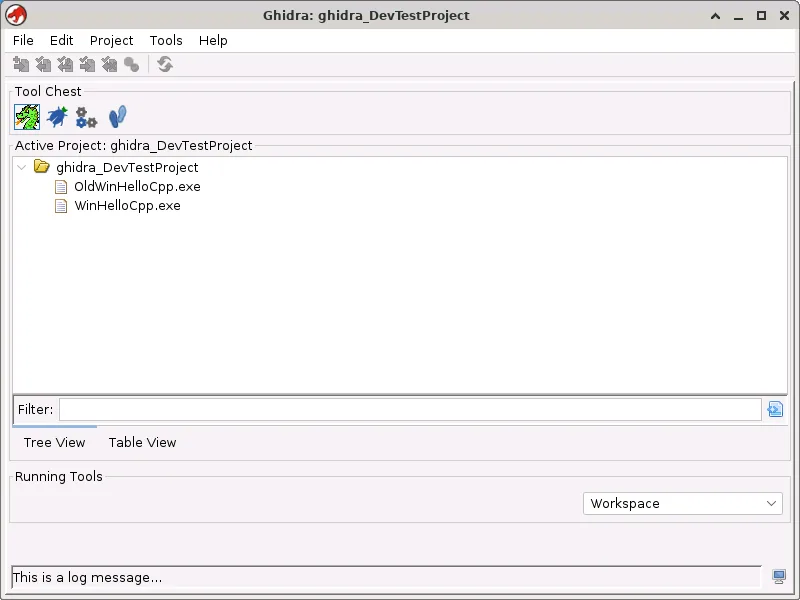
A successful launch opens the Project Window. Create projects outside the installation directory so replacing an application version never deletes analysis data. Back up both the .gpr project file and its corresponding .rep directory. When upgrading, extract the new release beside the old one and test copied or backed-up projects before retiring the previous installation.
- 1
Create a tools directory
Choose a user-owned destination that keeps application files separate from projects.
mkdir -p ~/tools - 2
Extract the download
Unzip the entire archive and preserve its directory structure.
unzip ghidra_12.1.3_PUBLIC_20260817.zip -d ~/tools - 3
Enter the installation
Move into the extracted Ghidra directory.
cd ~/tools/ghidra_12.1.3_PUBLIC - 4
Launch as your user
Run the shell launcher without sudo.
./ghidraRun
Linux x86-64 and ARM64 support
The official public release includes pre-built Linux x86-64 native binaries. That is the lowest-friction Linux host. Linux ARM64 is listed among platforms for which native components can be built locally. The Java modules remain in the official archive, while features that invoke native helpers may require a compatible local build on ARM64.
Building native components is not the same as compiling the entire Ghidra project. Install JDK 21, GCC or Clang, make, and the required 64-bit development libraries. Change into support/gradle and run the supplied wrapper's buildNatives task when internet access is available. Generated binaries are stored under module build directories and take precedence for the host platform.
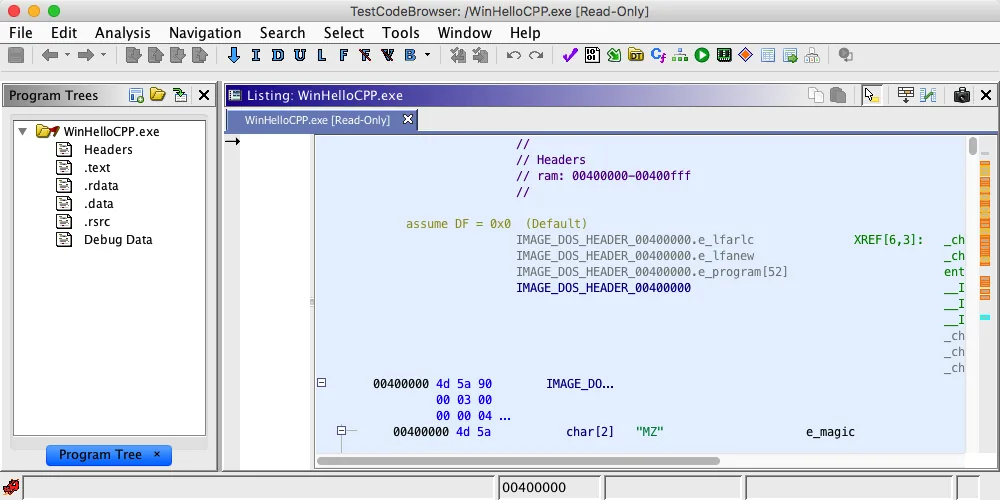
A Linux host can analyze programs for many non-Linux and non-x86 processors. Host support describes where Ghidra and its helper programs execute. Target support comes from Ghidra processor-language modules and loaders. For example, importing a Windows PE executable on Linux can still select its x86 language and PE loader without turning the Linux host into a Windows system.
| Linux host | Native components | Recommended source |
|---|---|---|
| Linux x86-64 | Pre-built components included | Official Ghidra release ZIP |
| Linux ARM64 | Supported local build target | Official ZIP plus locally built native helpers |
| 32-bit Linux | Deprecated | Use a supported 64-bit environment |
cd support/gradle && ./gradlew buildNativesRun Ghidra headless on Linux
Linux servers and analysis pipelines often use Ghidra's headless mode instead of the desktop interface. The launcher is support/analyzeHeadless. It works with a project location and project name, followed by import or process options and scripts. Read support/analyzeHeadlessREADME.html from the installed distribution before building automation around the command because project locking, script paths, timeouts, and analysis options affect repeatability.
Headless mode still requires JDK 21 and a writable environment for projects, user settings, logs, and caches. Run it as a dedicated unprivileged service account rather than root. Mount inputs read-only when practical, write output and projects to controlled directories, and apply resource limits appropriate to untrusted or unusually large binaries. Ghidra parses complex file formats; keep the application current and review upstream security advisories.
A desktop-free server installation does not require a smaller unofficial download. Download Ghidra for Linux from the same official multi-platform ZIP, extract it, verify Java, and invoke the support script. For containerized jobs, pin the Ghidra release and JDK base version, record the official checksum, and rebuild the container when a security or maintenance release is published.
./support/analyzeHeadless /path/to/projects ProjectName -import /path/to/samplexdg-open support/analyzeHeadlessREADME.htmlFix common Ghidra Linux problems
For Java errors, verify that both java and javac resolve to version 21. For a permission-denied launcher, restore the executable bit on the script and check that the filesystem is not mounted with noexec. Moving the installation to an executable user-owned filesystem is safer than running Ghidra with elevated privileges.
Some Linux desktop environments or remote sessions expose Java rendering issues. The official notes mention GUI problems in remote desktops using 32-bit color depth and recommend 24-bit color as a workaround. Non-reparenting window managers such as XMonad and Sway can show blank Java windows; the documented ENVVARS_LINUX=_JAVA_AWT_WM_NONREPARENTING=1 setting in support/launch.properties addresses that class of issue.
If icons render incorrectly, the official notes suggest testing VMARGS=-Dsun.java2d.opengl=true in the launch properties. Make one change at a time and keep a copy of the original property file. For immediate exits, run support/ghidraDebug or switch the launcher to foreground mode so the underlying exception remains visible.
| Linux symptom | Likely cause | First action |
|---|---|---|
| java not found | JDK missing from PATH/JAVA_HOME | Install JDK 21 and verify java and javac |
| Permission denied | Launcher mode or noexec filesystem | chmod +x ghidraRun or move to an executable filesystem |
| Blank window under Sway/XMonad | Java non-reparenting issue | Set the documented _JAVA_AWT_WM_NONREPARENTING launch variable |
| Broken GUI in remote desktop | Color-depth issue | Use a 24-bit remote desktop session |
| Immediate exit | Suppressed startup error | Run ghidraDebug or foreground mode |
Download Ghidra for Linux questions
Can I install Ghidra with apt?
Some repositories may offer a community download, but the upstream Ghidra project publishes the official release as a GitHub ZIP. Check the package maintainer and version before treating it as equivalent.
How do I download Ghidra for Linux or Ubuntu?
Download Ghidra for Linux from the official PUBLIC ZIP, install OpenJDK 21 JDK, verify SHA-256, extract it to a user-owned folder, and run ./ghidraRun.
Does Ghidra work on Fedora?
Yes on a supported 64-bit Linux host. Install a Java 21 development package such as java-21-openjdk-devel when available, then use the official ZIP.
Can Ghidra run on Linux ARM64?
Linux ARM64 is listed as a platform for locally built native components. Use the official ZIP and build compatible native helpers for features that need them.
Can I use Ghidra without a Linux desktop?
Yes. Use support/analyzeHeadless for batch analysis. The same official ZIP and JDK 21 requirement apply.
Download Ghidra for Linux
Get the official ZIP, install JDK 21 from a trusted source, verify the checksum, and run ./ghidraRun.