
What Ghidra data types mean
Ghidra data types describe how a byte range should be read. A newly imported program contains undefined bytes, often displayed as question marks, until analysis or an analyst applies a type. Applying a type does not rewrite the original file. It adds a program-model interpretation: a byte may be a signed integer, a pointer, a string, a structure field, an array element, or another supported data type.
The important boundary is between evidence and interpretation. The bytes, address, processor language, endianness, references, and repeated access pattern are evidence. A label such as `header`, `count`, or `next` is an interpretation that should be supported by those facts. A good Ghidra data types workflow records why a type was chosen, checks its size and alignment, and keeps the project copy available when the hypothesis changes. Different types can explain the same bytes, so the evidence trail matters.
This page focuses on data modeling inside CodeBrowser. The Ghidra Decompiler guide explains how better types can make pseudocode easier to read, while the Ghidra search guide helps you find the address or string that should be modeled first.
Use the type that explains the observed bytes and access pattern with the fewest unsupported assumptions. If later references disagree, undo or replace the type instead of forcing the decompiler to look clean.
| Concept | What it tells you | What to verify |
|---|---|---|
| Undefined data | Bytes have no committed data interpretation | Address, block, encoding, and nearby references |
| Primitive type | A known size and value representation | Language, signedness, endianness, and alignment |
| Structure | Named fields at explicit offsets | Field order, padding, size, and repeated accesses |
| Pointer | A value interpreted as an address | Address space, target type, and valid references |
| Array | Repeated elements with a fixed stride | Element type, count, and total byte range |
Open Data Type Manager and choose a category
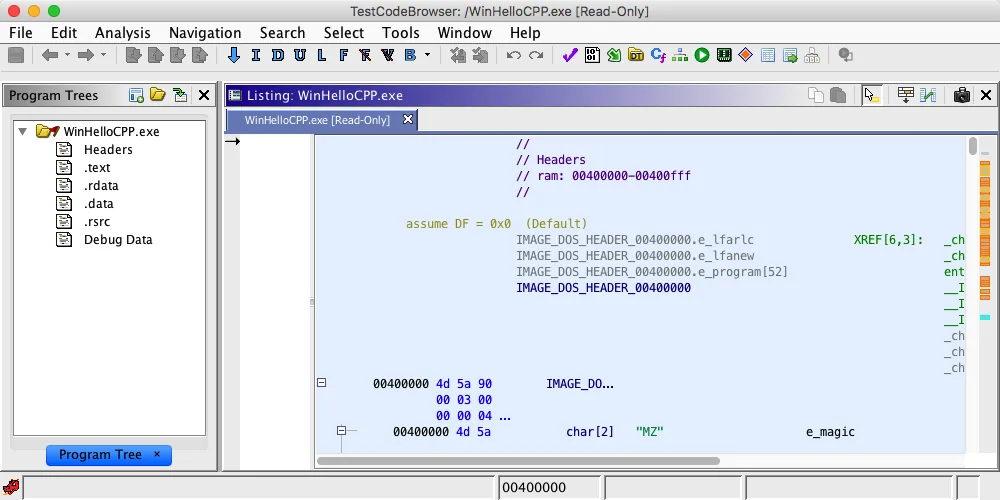
Open the program in CodeBrowser and bring the Data Type Manager window to the front from the Window menu. The exact docking position depends on your workspace, but the manager normally separates built-in types, types supplied by the current program, and types loaded from archives. Start by locating the program category and the type family you actually need; importing a large archive can make it harder to see the small set of types relevant to the current sample.
Built-in types are useful for primitive values and common strings. Program types are the safest place for a structure you are still testing because they travel with the current project. Archives can provide known platform or library definitions, but a matching name is not proof that the target uses the same ABI, packing, or version. Keep the source and confidence of an imported type in your analysis notes. Compare candidate types before committing to one.
Before changing a selected address, write down the address, current display, and the number of bytes you expect to consume. This simple baseline makes an accidental overwrite visible and lets you compare the Listing before and after the operation.
- 1
Select a program and address
Open a practice binary or authorized sample, choose an address in Listing, and confirm the active program and memory block.
Program -> CodeBrowser -> Listing - 2
Show the manager
Choose Window > Data Type Manager and expand the categories without importing an unnecessary archive.
Window -> Data Type Manager - 3
Pick the narrowest source
Use a built-in type for a primitive, a program type for an evolving structure, and an archive only when its ABI is supported.
BuiltIn / Program / Archive - 4
Record the baseline
Note the address, current bytes, block name, language, and expected size before applying a type.
address + bytes + expected size
Apply primitive Ghidra data types without losing byte context
Primitive types are the safest place to start when the evidence is a known width or encoding. A byte, word, dword, qword, character, boolean, float, or pointer can change how Listing displays the same bytes without changing the file on disk. Select the correct address range, choose the data command or drag a type from Data Type Manager, and inspect the resulting size immediately. Keep alternate types in your notes when the evidence is still ambiguous.
Do not assume that an integer has the same width on every processor language. The language and compiler specification determine the size and representation of many built-in types. Signedness also changes the interpretation of the high bit, while endianness changes the order in which multiple bytes form a value. If the value is used as an address, test a pointer interpretation only after confirming the address space and nearby references.
When a definition consumes bytes that should remain separate, undo the action and narrow the selection. A successful command is not the same as a correct model. Record the original bytes and the expected end address so you can detect an off-by-one range or an alignment gap.
- Check processor language and address size before choosing a multi-byte type.
- Use the observed access width and instruction operands as evidence for signedness and size.
- Treat a pointer as an address hypothesis and verify its target in the active memory space.
- Apply one definition at a time when learning a new binary so an incorrect range is easy to undo.
- Keep a note of undefined bytes that remain between two known fields; gaps can be padding or a missing field.
address: 0x00402010 | size: 4 | observed: little-endian load | type: uint32_t | confidence: mediumbytes -> type -> Listing check -> reference check -> Decompiler checkCreate and apply a Ghidra structure
Create a structure when several fields are accessed at stable offsets from the same base. A structure is more than a list of guesses: it defines field order, offsets, sizes, and usually a total length. Start with the smallest set of fields supported by repeated loads and stores. You can add names and types later as evidence improves, but changing a field's size can move every following field and alter the interpretation of callers.
In Data Type Manager, create a new structure in the program category, give it a temporary descriptive name, and add fields in offset order. Use explicit padding only when the gap is supported by alignment or by the observed accesses. If a field is a pointer, apply a pointer to the most defensible target type, not an arbitrary structure chosen because its name looks familiar. A self-referential node may use a pointer to the structure being defined, but verify that the binary actually follows the pointer.
Once the structure is defined, apply it at the base address in Listing. Check every field boundary and compare the total structure size with the next known object or repeated instance. If two instances occur at a constant stride, that is useful evidence for an array of the structure. If the next object starts at an unexpected offset, keep the gap visible until you know whether it is padding, a union, a different version, or a wrong field type.
- 1
Create a program structure
In Data Type Manager, choose the program category, create a structure, and use a temporary name that describes the evidence rather than an invented business meaning.
Program Types -> New -> Structure - 2
Add fields in offset order
Add the known primitive, array, enum, or pointer fields. Keep unknown bytes as undefined or explicit padding until a reference supports them.
offset 0x00 -> field_0; offset 0x04 -> field_4 - 3
Apply at the base
Select the base address in Listing, apply the structure, and verify that each displayed field ends where the next access expects.
Listing -> Data -> apply structure - 4
Compare repeated instances
Search for the same access pattern or stride at another address before renaming the structure as a confirmed object.
base + stride -> second instance
| Structure decision | Useful evidence | Risk if guessed |
|---|---|---|
| Field size | Load/store width and repeated offset | Every following field shifts |
| Padding | Alignment boundary or consistent gap | A real field is hidden or the structure is too large |
| Pointer target | Dereference and valid target references | Decompiler shows a misleading object graph |
| Structure length | Next object, array stride, or allocator size | Arrays and callers become inconsistent |
Use arrays, enums, typedefs, and pointers
An array is appropriate when the same element type repeats with a predictable stride. Define the element type first, then set a count only when the count is supported by a loop bound, a table length, a neighboring object, or an allocation size. A guessed count can make unrelated bytes look like valid elements. For a null-terminated string or a runtime-sized buffer, leave the boundary explicit instead of forcing a fixed array that the evidence cannot support.
Enums improve readability when a value is compared with a small, repeated set of constants. Name only values that the comparison or documentation supports, and keep an unknown value visible. Typedefs can give a repeated primitive or pointer a stable project-level name, but they do not create new evidence. They are most useful after the underlying type and calling convention are already clear.
Pointers need the most discipline because a pointer value is meaningful only in an address space. Confirm whether it points to a structure, a string, a function, or a table, and check at least one real reference. A pointer chain that looks elegant in Decompiler can still be wrong if the base address, segment, or type width is wrong. Keep the target type and address-space assumption visible in your notes.
It is better to show an undefined byte or an unknown enum value than to make the whole object look certain. Uncertainty that is visible can be tested; an invented field cannot.
| Type pattern | Use it when | Boundary to record |
|---|---|---|
| Array | Elements repeat with a known stride | Element type and count or termination rule |
| Enum | A value is compared with named constants | Known values plus an explicit unknown case |
| Typedef | A proven type needs a reusable project name | Underlying type and calling convention |
| Pointer | The value is dereferenced or used as an address | Address space and target type |
| Function pointer | A table or call site uses an indirect call | Prototype, table stride, and call evidence |
Verify Ghidra data types in Listing and Decompiler
After applying a type, return to Listing and inspect the exact bytes, address, field offsets, and references. Confirm that the data definition stays inside the intended memory block and that the displayed values match the load/store instructions. If the definition overlaps an instruction or a known string, stop and undo it. The Listing is the address-level record; it should remain understandable even when the Decompiler has not refreshed.
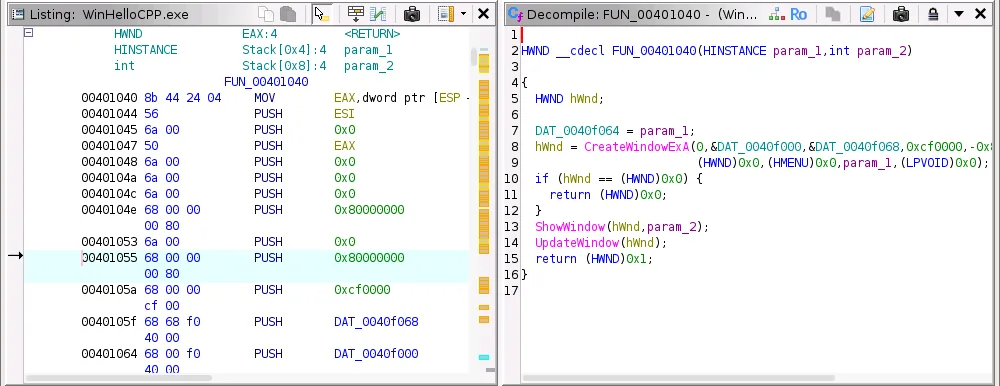
Then select a function that reads the typed object and open Decompiler. A better signature, structure, or pointer may replace undefined values and casts with field names, but that improvement is a consistency check rather than proof. Compare one or two decisive instructions against the pseudocode, including signedness, pointer arithmetic, array indexing, and return values. If the output changes after analysis finishes, record the change and re-check the original evidence. Revisit the types when a caller or another view disagrees.
Review the types as a connected model rather than isolated labels. The types in Listing should match the types in the function signature, the types used by pointer dereferences, and the types implied by array strides. When those types disagree, keep the simplest evidence-backed types, mark uncertain types as provisional, and test the types again against another reference before naming the object with confidence.
Use the Function Graph guide when a field is read on several branches, and use the firmware analysis guide when the address map itself is uncertain. Those pages answer adjacent questions; this page remains responsible for the data model and its boundaries.
Fix wrong sizes, offsets, and stale type views
When a type looks wrong, start with the smallest disagreement. Check the active processor language, address space, byte order, selected range, and function signature before changing several fields at once. A 64-bit pointer applied to a 32-bit table, or a packed structure applied to naturally aligned data, can make every later access look broken. Undo the last change, compare the bytes, and retest one assumption.
A stale Decompiler view can also mislead you. Let background analysis finish, refresh or reselect the function, and check that the Listing and Decompiler point to the same address. If a type archive supplies a similar name, inspect its underlying size and packing instead of assuming compatibility. Compare types again when a caller disagrees, and keep a copy of the project before large edits so a wrong experiment is reversible.
Write down the exact address, type, language, and change that produced the problem. A short before/after note is more useful than repeatedly guessing at a new structure.
| Symptom | Check first | Safer next action |
|---|---|---|
| Fields shift after applying a structure | Field sizes, padding, and language | Undo, keep the gap undefined, and rebuild from offsets |
| Pointer points outside memory | Address space, base, and pointer width | Treat it as an integer until a valid target is found |
| Decompiler shows many casts | Signature, signedness, and target type | Verify one caller and one load/store in Listing |
| Array consumes unrelated bytes | Count, stride, and termination | Use a shorter count or a runtime boundary |
| Type is missing from the manager | Category, archive path, and filter | Refresh and import only a verified archive |
A repeatable Ghidra data types workflow
A reliable data-modeling session is small, explicit, and easy to review. Start with a clue such as a repeated offset, a known length, a dereference, or a constant comparison. Record the address and bytes, select the narrowest type that explains the clue, and verify the result in Listing before adding names. Only then move to a structure, array, enum, or pointer that combines several supported observations.
For a team or a repeated investigation, preserve the project version, processor language, type source, and confidence for each important definition. Keep program types separate from speculative archive imports, and compare types again when a caller disagrees. Use the Script Manager guide only after the manual operation is understood. A script can apply a good model consistently, but it can also spread a bad assumption quickly.
The goal is not to make every line look like source code. The goal is a model that explains bytes, references, and control flow while showing what is still unknown. Keep types, offsets, and pointer targets reviewable so the next analyst has a clear place to test, revise, or automate the interpretation.
- 1
Anchor
Start from an address, reference, loop bound, or repeated access that you can point to in Listing.
evidence -> address - 2
Model
Apply the smallest primitive or field type that explains the observed width and representation.
address -> type - 3
Check
Compare bytes, offsets, references, and one Decompiler consumer before adding names or padding.
Listing -> Decompiler - 4
Preserve
Save a project copy and record the reason, confidence, and reversal path for the model.
type + evidence + rollback
- Use authorized binaries and keep original files unchanged.
- Separate file offsets, loaded addresses, and pointer targets in notes.
- Prefer visible uncertainty over a field or count that is only a guess.
- Re-check callers after changing a structure or function signature.
- Automate only after one manual example is correct and repeatable.
Ghidra data types questions
What are Ghidra data types used for?
Ghidra data types describe how bytes should be displayed and interpreted in a program model. They let you define primitives, strings, structures, arrays, enums, and pointers, then verify those definitions in Listing and Decompiler.
How do I create a structure in Ghidra?
Open Data Type Manager, create a structure in the current program category, add fields in offset order, keep unsupported gaps undefined or as justified padding, and apply the structure at its base address in Listing.
Why do my Ghidra structure fields have the wrong offsets?
Check the processor language, field sizes, alignment, packing, and any explicit padding. Undo the definition, compare the original bytes, and rebuild the smallest structure supported by repeated accesses.
Should I define a pointer type in Ghidra?
Define a pointer when the value is used as an address and at least one reference supports its address space and target. If that evidence is missing, keep the value as an integer or unknown-sized type until the target is verified.
Can a Ghidra data type change the original binary?
Applying a data type changes the project model and its views, not the original input file. Keep a project copy and export or save notes when making large modeling changes.
Why does the Decompiler still show undefined values after I apply a type?
Reselect the function and let analysis finish, then confirm that the type was applied to the address actually read by the function. A wrong signature, pointer depth, or memory map can keep casts and undefined values in the pseudocode.